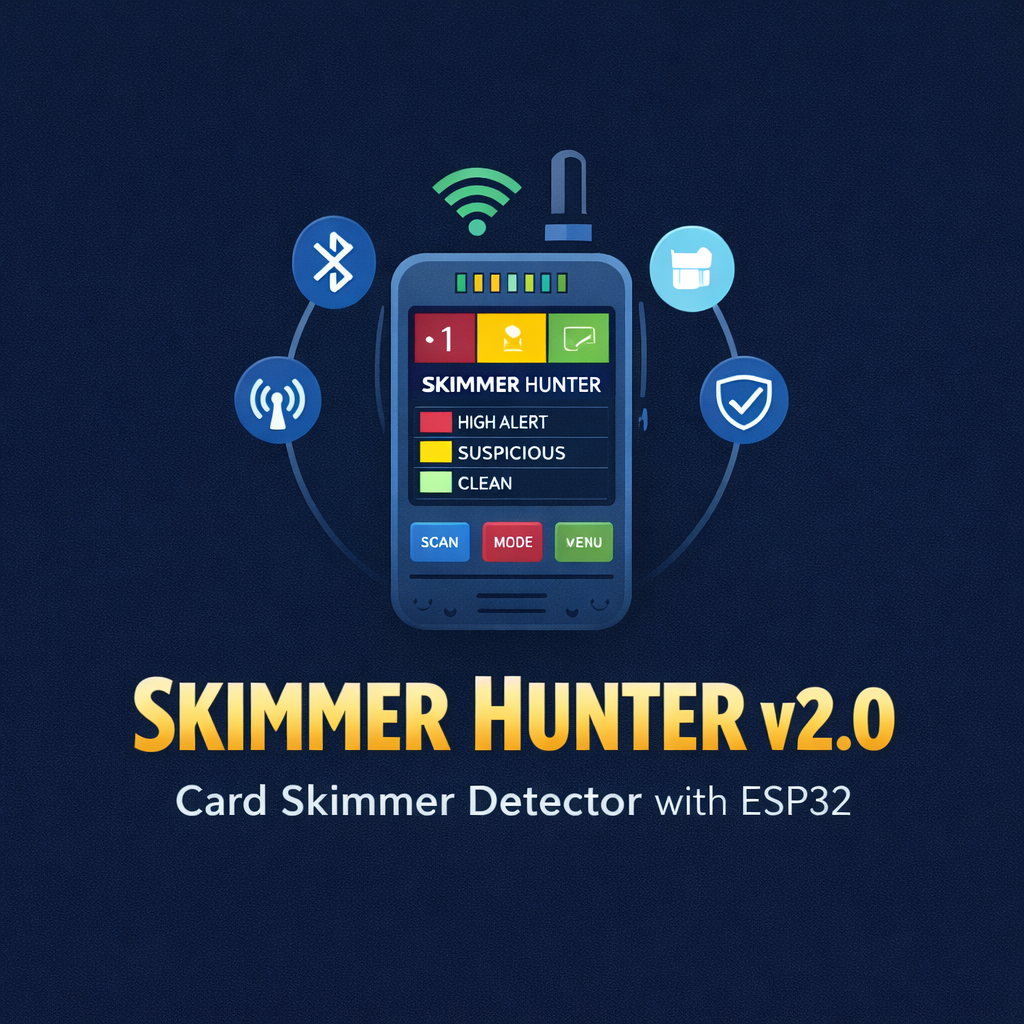
🕵️ Why I Built This
Credit card skimmers steal over $1 billion annually in the US alone, according to the FBI. These tiny devices are planted inside ATMs, gas pumps, and POS terminals — and they’re getting harder to detect every year. Modern skimmers use Bluetooth to transmit stolen data wirelessly, are thinner than a credit card, and can sit undetected for months.
Most existing ESP32-based detectors only scan for a device named “HC-05” and call it a day. That’s barely scratching the surface. Skimmer Hunter v2.0 takes a radically different approach: 8 independent detection layers working together with a scoring system that dramatically reduces false positives while catching even modified skimmers.
🧠 The Problem with Current Detectors
Before diving into the build, let’s understand why existing tools fall short:
| Detector | Method | Weakness |
|---|---|---|
| SparkFun Skimmer Scanner | Looks for “HC-05” name | Criminals can rename the device |
| Generic BLE Scanner apps | Lists all BLE devices | Massive false positives, no BT Classic |
| ESP32 Marauder | Name-based BLE scan | No handshake test, no MAC analysis |
| Phone Bluetooth settings | Manual scanning | Can’t detect BT Classic, no automation |
The core issue? They all rely on a single signal. A criminal who changes the default name from “HC-05” to anything else defeats all of them instantly.
🏗️ Architecture: 8 Layers of Detection
Skimmer Hunter uses a multi-layer scoring system where each layer contributes points. The total score determines the threat level:
Score ≥ 5  →  🔴 HIGH ALERT (likely skimmer)
Score 3-4  →  🟡 SUSPICIOUS (use caution)
Score < 3  →  🟢 CLEAN (no threats detected)
Here’s what each layer does:
Layer 1 — Bluetooth Classic Scan (GAP Discovery)
This is critical. Most skimmers use Bluetooth Classic SPP (Serial Port Profile), not BLE. The ESP32 is one of the few microcontrollers that supports both. We use the ESP-IDF GAP API to perform a full inquiry scan:
void scanBluetoothClassic() {
  esp_bt_gap_register_callback(bt_gap_cb);
  esp_bt_gap_start_discovery(ESP_BT_INQ_MODE_GENERAL_INQUIRY,
                              BT_CLASSIC_SCAN_SEC / 1.28, 0);
  // Wait for results via callback...
}
The callback captures name, MAC address, RSSI, and Class of Device (CoD) for every discovered device — all four are used in subsequent layers.
Layer 2 — BLE Scan
Complementary to BT Classic. Some newer skimmer variants use BLE modules. We run a 10-second active scan:
void scanBLE() {
  BLEDevice::init("SkimmerHunter");
  pBLEScan = BLEDevice::getScan();
  pBLEScan->setAdvertisedDeviceCallbacks(new SkimmerBLECallbacks());
  pBLEScan->setActiveScan(true);
  BLEScanResults foundDevices = pBLEScan->start(BLE_SCAN_TIME_SEC, false);
}
Layer 3 — Suspicious Name Matching (+2 to +3 points)
We maintain a database of known skimmer module names, not just HC-05:
const char* SUSPICIOUS_NAMES[] = {
  "HC-03", "HC-05", "HC-06", "HC-08",
  "FREE2MOVE", "RNBT", "ZAPME",
  "BT04-A", "BT-HC05", "linvor",
  "JDY-30", "JDY-31", "JDY-33",
  "AT-09", "HM-10", "HM-11",
  "CC41-A", "MLT-BT05",
  NULL
};
An exact match gives +3 points, a partial match (e.g., name contains “HC-“) gives +2. This catches variants even if the criminal added a suffix.
Layer 4 — OUI/MAC Prefix Analysis (+1 to +3 points)
This is where it gets interesting. The first 3 bytes of any Bluetooth MAC address identify the manufacturer (OUI — Organizationally Unique Identifier). Cheap Chinese HC-05/HC-06 modules have specific, known OUIs:
const OUI_Entry SUSPICIOUS_OUI[] = {
  {{0x98, 0xD3, 0x31}, "Shenzhen HC-Module",     3},
  {{0x20, 0x15, 0x04}, "Guangzhou HC-Info Tech",  3},
  {{0x34, 0x15, 0x13}, "Shenzhen JDY",            3},
  {{0x7C, 0x01, 0x0A}, "JDY Module Series",       3},
  {{0xF0, 0xC7, 0x7F}, "HM-10/HM-11 Module",     2},
  // ... more entries
};
Why this matters: Even if a criminal renames the device, the MAC prefix cannot be changed on these cheap modules. A device with name “MyHeadphones” but OUI 98:D3:31 is still an HC-05 module — and has no business being inside an ATM.
Layer 5 — RSSI Proximity Analysis (+1 to +2 points)
Signal strength tells us how far the device is:
int analyzeRSSI(int rssi) {
  if (rssi > -50) return 2;  // Very close (<1m) - inside the machine
  if (rssi > -70) return 1;  // Medium range (1-3m)
  return 0;                   // Far away - probably not in this terminal
}
If an HC-05 module is broadcasting at -35 dBm while you’re standing at a gas pump, it’s almost certainly inside that pump. A signal at -85 dBm is probably someone’s car Bluetooth adapter in the parking lot.
Layer 6 — Class of Device Analysis (+1 to +2 points)
Bluetooth Classic devices advertise a CoD field identifying their type (phone, headset, computer, etc.). Skimmer modules are never configured properly — they show up as “Uncategorized”:
int analyzeCOD(uint32_t cod) {
  if (cod == 0) return 1;  // No CoD at all
  uint8_t majorClass = (cod >> 8) & 0x1F;
  uint8_t minorClass = (cod >> 2) & 0x3F;
  if (majorClass == 0 && minorClass == 0) return 2;  // Uncategorized
  return 0;
}
A legitimate Bluetooth headset will always report as “Audio” class. A cheap HC-05 inside a skimmer won’t.
Layer 7 — WiFi Anomaly Scan
Some modern skimmers have evolved beyond Bluetooth and use WiFi to exfiltrate data. We scan for:
- Hidden networks with strong signals near payment terminals
- Suspicious SSIDs containing “ESP”, “HC-“, “arduino”, or “module”
void scanWiFiAnomalies() {
  int n = WiFi.scanNetworks(false, true); // include hidden
  for (int i = 0; i < n; i++) {
    if (WiFi.SSID(i).length() == 0 && WiFi.RSSI(i) > -50) {
      // Hidden network with strong signal = suspicious
      totalWiFiAnomalies++;
    }
  }
}
Layer 8 — Active Handshake Test (+5 points) 🎯
This is the kill shot. If a device scores ≥3 on the previous layers, we attempt to connect to it and verify it’s a skimmer:
bool attemptHandshake(uint8_t* mac) {
  // Try default passwords: 1234, 0000, 1111, 6789
  bool connected = SerialBT.connect(mac);
  if (connected) {
    SerialBT.write('P');       // Send probe character
    char response = SerialBT.read();
    if (response == 'M') {     // Skimmer firmware responds with 'M'
      return true;             // CONFIRMED SKIMMER
    }
  }
  return false;
}
The reason this works: the vast majority of Bluetooth skimmers use the exact same firmware — a cookie-cutter design based on cheap PIC18F4550 microcontrollers. When you send the character P, the skimmer firmware responds with M to acknowledge a data download request. This test alone is practically a 100% confirmation.
📊 The Scoring System
All layers feed into a composite score:
| Layer | Points | What it detects |
|---|---|---|
| Name match (exact) | +3 | Known skimmer module names |
| Name match (partial) | +2 | Variants and renamed modules |
| OUI/MAC prefix | +1 to +3 | Manufacturer identification |
| RSSI proximity | +1 to +2 | Physical distance to device |
| CoD uncategorized | +1 to +2 | Improperly configured devices |
| Unnamed BT Classic | +1 | Devices without advertised name |
| Handshake P→M | +5 | Direct firmware confirmation |
Example scenario: You scan at a gas pump and find:
- Device named “HC-05” → +3 (name match)
- MAC prefix
98:D3:31→ +3 (known HC module OUI) - RSSI: -38 dBm → +2 (very close, inside the pump)
- CoD: 0x000000 → +2 (uncategorized)
- Handshake: sends “P”, receives “M” → +5
- Total: 15 points → 🔴 CONFIRMED SKIMMER
Compare this to a false positive scenario:
- Someone’s car hands-free kit named “Honda BT” → +0 (no name match)
- MAC from a legitimate manufacturer → +0
- RSSI: -72 dBm → +0 (far away)
- CoD: Audio class → +0
- Total: 0 points → 🟢 CLEAN
🔧 Hardware Build
Components needed
| Component | Purpose | ~Price |
|---|---|---|
| ESP32 DevKit V1 | Main controller (BT + BLE + WiFi) | ~€5 |
| OLED SSD1306 128x64 (I2C) | Display results | ~€3 |
| Passive Buzzer | Audio alerts | ~€0.50 |
| RGB LED (common cathode) | Visual threat indicator | ~€0.30 |
| 2× Push buttons | Scan trigger + Mode select | ~€0.20 |
| 3× 220Ω resistors | Current limiting for RGB LED | ~€0.10 |
| Breadboard + wires | Assembly | ~€3 |
Total cost: under €15 — compared to €200+ for commercial Skim Scan devices.
Wiring
ESP32 Pin    →    Component
─────────────────────────────
GPIO21 (SDA) →    OLED SDA
GPIO22 (SCL) →    OLED SCL
GPIO25       →    Buzzer (+) via 100Ω
GPIO27       →    RGB Red via 220Ω
GPIO26       →    RGB Green via 220Ω
GPIO14       →    RGB Blue via 220Ω
GPIO33       →    Button SCAN (to GND)
GPIO32       →    Button MODE (to GND)
3V3          →    OLED VCC
GND          →    OLED GND, Buzzer (-), LED cathode, Buttons
💡 Tip: Use the ESP32’s internal pull-up resistors for the buttons (
INPUT_PULLUP) — no external pull-ups needed.
📦 Installation & Flashing
1. Install Arduino IDE libraries
Adafruit SSD1306(and dependencyAdafruit GFX)- ESP32 board support via Boards Manager (URL:
https://dl.espressif.com/dl/package_esp32_index.json)
2. Board configuration
In Arduino IDE:
Board:           ESP32 Dev Module
Partition Scheme: Default 4MB with spiffs
Flash Size:      4MB
Upload Speed:    921600
3. Flash
- Connect the ESP32 via USB
- Select the correct COM port
- Click Upload
4. Usage
- Power on the device
- Wait for the splash screen
- Approach the ATM, gas pump, or POS terminal
- Press the SCAN button
- Wait ~30 seconds for the full 4-phase scan
- Read the results on the OLED:
- 🟢 Green LED = Zone is clean
- 🟡 Orange LED = Suspicious device found, use caution
- 🔴 Red LED + Buzzer alarm = Probable skimmer detected
🔬 Real-World Effectiveness
How does each detection layer perform compared to existing tools?
| Scenario | SparkFun Scanner | Marauder | Skimmer Hunter v2.0 |
|---|---|---|---|
| Default HC-05 skimmer | ✅ Detected | ✅ Detected | ✅ Score: 10+ |
| Renamed HC-05 (custom name) | ❌ Missed | ❌ Missed | ✅ Caught by OUI + CoD |
| HC-06 variant | ❌ Missed | ❌ Missed | ✅ Name + OUI match |
| WiFi-based skimmer | ❌ Missed | ❌ Missed | ✅ WiFi anomaly scan |
| Legitimate BT headset nearby | ⚠️ False positive possible | ⚠️ False positive | ✅ Score: 0, filtered out |
🛡️ Limitations & Disclaimer
What this tool cannot detect:
- Skimmers that don’t use any wireless communication (pure storage, physically retrieved)
- Skimmers using encrypted or custom Bluetooth protocols with non-standard OUIs
- EMV shimmer devices (these target the chip, not the magnetic stripe)
- Online/e-skimming (JavaScript injections on payment websites)
Legal disclaimer: This tool is intended for personal security awareness and educational purposes only. Always use contactless (tap-to-pay) payments when possible — they use tokenization and are inherently resistant to magnetic stripe skimmers.
🚀 What’s Next
Planned improvements for future versions:
- SD card logging — Save scan results with GPS coordinates for mapping skimmer hotspots
- Web dashboard — Real-time results served over WiFi to your phone
- OTA updates — Update the OUI database wirelessly
- M5Stack / LilyGO T-Display port — Slimmer form factor with built-in battery
- Flipper Zero integration — Export detections to Flipper’s Bluetooth module
📥 Download
The full source code is available on GitHub:
🔗 Skimmer Hunter v2.0 — GitHub Repository
git clone https://github.com/adperem/skimmer-hunter-esp32.git
cd skimmer-hunter-esp32
# Open SkimmerHunter.ino in Arduino IDE and flash to your ESP32
🙌 Credits & References
- SparkFun — Gas Pump Skimmers teardown — Original skimmer hardware analysis
- UC San Diego — Bluetana research paper — MAC prefix and RSSI analysis techniques
- ESP32 Marauder — Inspiration for BLE scanning approach
- BVS Systems — Skim Scan — Commercial detector reference
Stay safe out there. If you find a skimmer, don’t remove it — report it to the authorities. They may be able to trace it back to the criminal network.